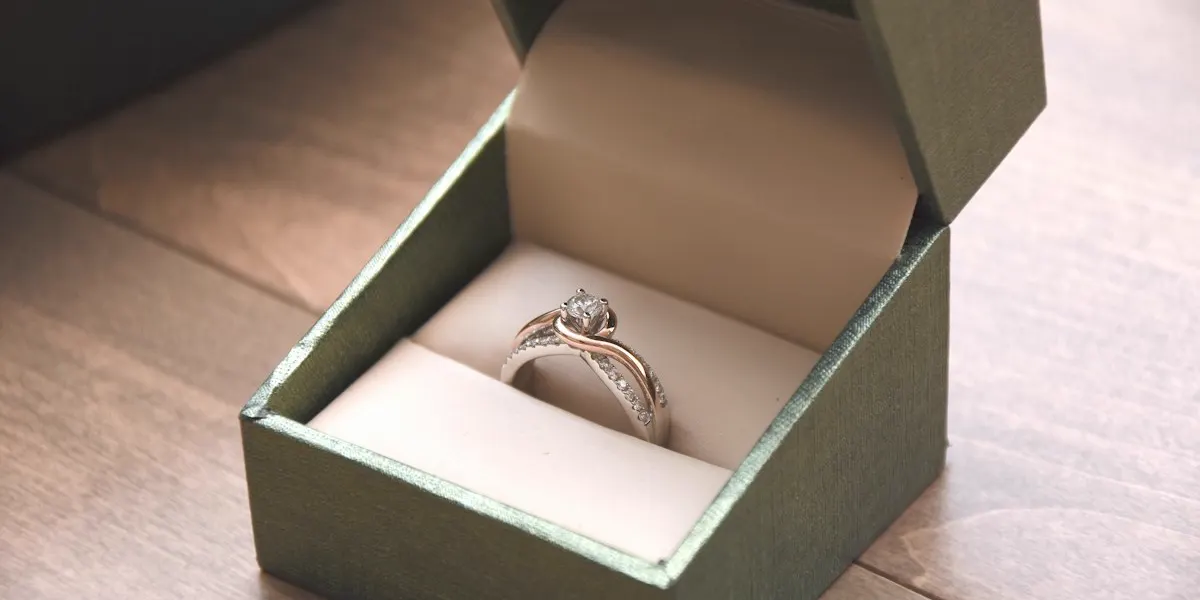
✦ SURPRISE PAGE
Proposal Website
A proposal page for one person: your letter, your photos and the big question — one link, and the “yes” reaches you by email.
Chloe, will you marry me?— Daniel
Create it for free, then decide
€9 · one-time, incl. VAT · online for 1 year
You only pay at the end
Create with confidence
- Create for free, then decide
You create your page and see it in the preview before you pay anything. You only pay when you publish.
- Secure payment
Through the licensed payment provider PayTR with 3D Secure; your card details never reach us.
- Only through your link
Your page is only visible to people you send the link to, and it isn't added to search engines.
- Cancellation and refunds
You'll find all the conditions in our cancellation policy. Cancellation policy
- Your photos and data
How we handle your photos and details is explained in our privacy policy. Privacy
- A real business
LoveyDear is run by a registered sole trader; I answer your questions personally by email or WhatsApp. Imprint · About us
About the marriage proposal website
What is a marriage proposal website?
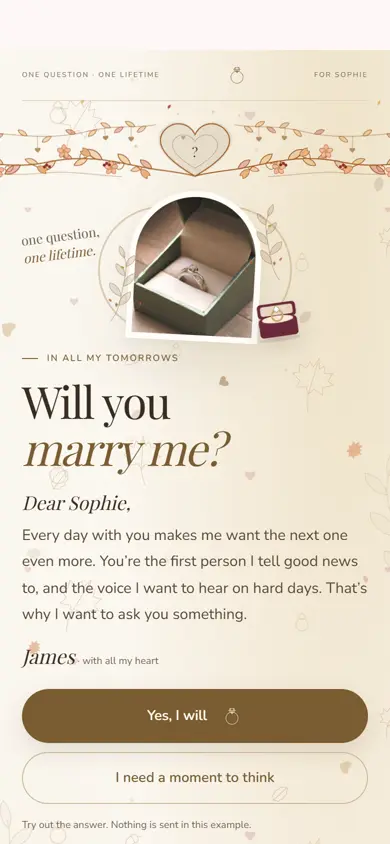
A marriage proposal website is a small page that sets up the moment you ask, and brings the answer back to you. You send it as a link – or open it together just before you get down on one knee. A sealed envelope with their name on it opens first; inside are your letter, your photos, music and your question, with two buttons: “Yes, I will” and “I need a moment to think”.
The envelope gives nothing away: until the page is opened it only says “For you”, and the link preview stays neutral. There is no runaway button and no joke answer – a question like this should not come with pressure.
The moment they say “yes”, you get an email, the ring lights up and the page opens further: a counter since that yes, the story of how you asked, and a keepsake card. Some people call it a digital proposal or a proposal page; it is the same idea.
How to make a proposal website for your girlfriend or boyfriend
You don't need to code, design anything or sign up. The form above asks one question at a time; skip whatever you don't need.
- Nameswho the page is from and who it is for.
- Your question“Will you marry me?” or your own words – it appears large above the answer buttons.
- How you asked (optional)a short story that only appears after the “yes”.
- Your letter, photos and musicwrite in your own words, add your pictures and choose a track from our music library.
- Preview and publishwalk through the page exactly as they will see it. You only pay when you publish.
Still planning the moment? Marriage proposal ideas helps you decide when to open the page, and proposal speech examples helps with the words.
What's on the proposal page?
Everything is made for a phone screen and opens straight in the browser:
- An envelope that says only “For you”the page opens like a letter, and nothing gives the question away beforehand.
- Your question, largeabove two buttons, “Yes, I will” and “I need a moment to think”.
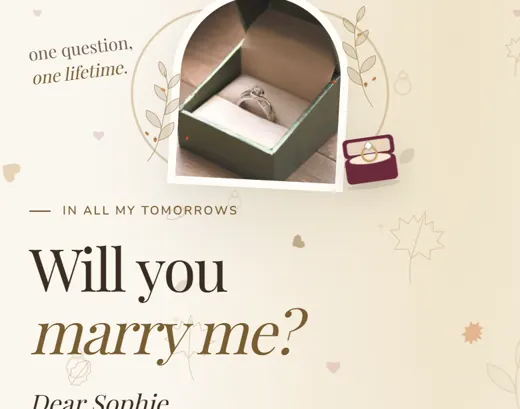
- A ring boxnext to the photo a velvet box opens and the ring sparkles; at the “yes” it lights up.
- Two rings without a photowith no photo, two drawn rings link together at the “yes”.
- The answer by emailthe moment they say “yes”, you are told – even if you are not in the room.
- Since that yesa counter showing the time since the yes in days, hours and minutes.
- How you askedyour short story, shown only after the “yes”.
- Dream cardslittle questions for all your tomorrows to turn over together.
- Keepsake card“a lifetime of yes” as a card to download and share.
- Photos and musicup to 20 photos and a track from our music library; the first photo sits on the question screen, the rest open after the “yes”.
- Secret note and lock questiona second message hidden behind a button, and a question only the two of you can answer.
Proposal website ideas: how to set up the moment
The page has one job: asking the question. Everything else prepares that moment.
- Keep the question plain. A decorated sentence takes the tension away; a clear one adds to it.
- Choose the first photo with care: it is the one on the question screen.
- Pick the music. A proposal page that opens in silence does not land the same way.
- Fill in “how you asked”: a short note that appears the moment they accept rounds it off.
- Open it together if you can. The page starts with an envelope and unfolds slowly, so it suits being watched side by side – and it works just as well when you are far apart.
Website builder, coded template or this page: which one fits you?
Search for a proposal website and you will find three routes: a general website builder, a template you code and host yourself, or a form like the one above. Here is the honest comparison.
| What matters | A website builder or coded template | This proposal page |
|---|---|---|
| What you need | A builder account, or HTML, CSS and JavaScript plus somewhere to host the page | Only the form: no code, no account, no app |
| Time | An evening or more | A few minutes |
| The answer | A button you build yourself; you find out when they tell you | “Yes, I will” or “I need a moment to think”; the yes reaches you by email |
| After the yes | Whatever you build | The ring lights up, a counter starts, a keepsake card is ready |
| Keeping the secret | Depends on what the link shows | A neutral link preview; the envelope only says “For you” |
| Cost | Depends on the builder and the plan; coding it yourself costs only your time | Free to create and preview; one payment to publish |
So is it a free proposal website? Creating and previewing are free here. Publishing costs €9 once – no subscription – and the page stays online for a year. And to be honest about its place: the page does not replace asking in person. It is the part that opens in their hands while you wait for the answer.
How to send the proposal link, and how long it stays online
When you publish, you get one link. Send it on WhatsApp, iMessage or Instagram, or by text – or open it on your own phone and hand the phone over. They don't need an app or an account.
You can create and preview without paying: your draft is kept for 7 days and only you can see it. When you publish, you pay €9 once and the page stays online for a year at the same link, with the answer and the counter on it.
Would you rather hide it in a gift? After publishing you will find a card with a QR code in the editing screen. Print it and put it in a box or with the flowers; scanning the code opens your page.
Frequently asked questions
Is the proposal website free?
- Creating and previewing are free. Publishing costs €9 once, including VAT, with no subscription, and the page stays online for a year.
Do I need to know how to code?
- No. You fill in a form and the page is built for a phone screen. There is nothing to download, host or design.
Does the link give the question away before it's opened?
- No. The link preview stays neutral and the envelope only says “For you” – the question only appears on the page itself.
How will I know what they answered?
- The moment they say “yes”, you get an email. The answer also stays on the page for good.
Is there a “no” button?
- No. Instead there is “I need a moment to think”. That answer is not sent to you; it simply gives them time. We don't use runaway or joke buttons – a question like this should not come with pressure.
What happens on the page after the “yes”?
- The ring lights up and the page opens further: the time since the yes, a copy of your letter, the story of how you asked, dream cards, your photos and a keepsake card to download.
Can the answer be changed?
- Yes. Whoever answered can undo it on the same device, and you can reset it from your editing screen.
Will they see the page before I publish it?
- No. Your draft stays private for 7 days and only you can see it in the preview. The link only works once you publish.
Who else can see the proposal?
- Only people who have the link. The page does not appear in search engines, and you can add a lock question that only the two of you can answer.
Do they need to install an app?
- No. The page opens in the browser, on a phone just as on a computer.
Is LoveyDear available in other languages?
- Yes: in English, German and Turkish. The fixed texts on the page (buttons, labels) appear in the language of the site you create it on; your own words can be in any language. This page is also available in German and in Turkish; the Turkish site has its own prices in Turkish lira.