
✦ SURPRISE PAGE
Baby Announcement
An envelope that opens, your photos, music and your words — as one link you send on WhatsApp.
Welcome, LilyWith love, Emma & James
Create it for free, then decide
€9 · one-time, incl. VAT · online for 1 year
You only pay at the end

Create with confidence
- Create for free, then decide
You create your page and see it in the preview before you pay anything. You only pay when you publish.
- Secure payment
Through the licensed payment provider PayTR with 3D Secure; your card details never reach us.
- Only through your link
Your page is only visible to people you send the link to, and it isn't added to search engines.
- Cancellation and refunds
You'll find all the conditions in our cancellation policy. Cancellation policy
- Your photos and data
How we handle your photos and details is explained in our privacy policy. Privacy
- A real business
LoveyDear is run by a registered sole trader; I answer your questions personally by email or WhatsApp. Imprint · About us
Baby announcement
What is an online baby announcement?
A little page that shares your baby’s arrival as one link. Whoever opens it first sees a sealed envelope with their name on it, then your baby’s name, a birth card with the date, time, weight and length, your photos and a few lines from you.
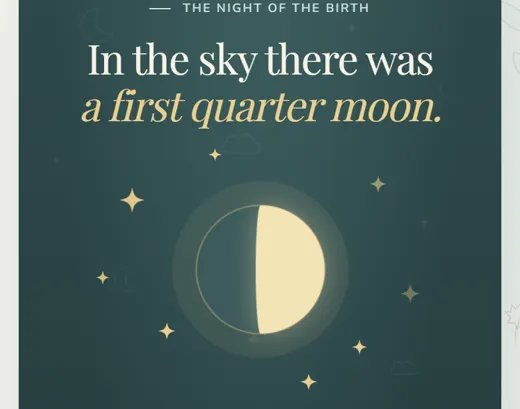
What makes it special: the moon of the night your baby was born is drawn from the date – a crescent, a half moon or a full moon – above the skyline of your city. Family and friends can leave their wishes on the same page.
How to create the announcement
You don’t need any software or app. The form above guides you question by question; anything you don’t need, you can leave blank.
- Namesyour names and your baby’s name – the name is optional if you haven’t chosen one yet.
- Letter and photosa few lines for your loved ones and your favourite pictures.
- Birth carddate, time, weight and length; only what you fill in is shown.
- Dateif you like, the page stays closed with a countdown until the day of the birth or the announcement.
- Preview and publishyou see the page exactly as it will arrive. You only pay when you publish it.
What happens on the page
Everything is made for phones and opens straight in the browser.
- Birth cardname, date, time, weight and length, and how many days your baby has been with you.
- The moon on the night of the birthdrawn from the date, with the phase and how much of it was lit.
- Your citythe skyline of your city or country under the moon.
- A sky full of wishessix stars to light up, with a keepsake card to download.
- Wishes from loved onesanyone who opens the link can leave a note and a photo.
- A card to sharedownload it and post it in your story.
How to send it, and how long the page stays online
When you publish, you get one link. Send it on WhatsApp, iMessage or Instagram, or by text; one tap opens the page on a phone. Nobody needs an app or an account.
You can create and preview without paying: your draft is kept for 7 days and only you can see it. When you publish, you pay €9 once, with no subscription, and the page stays online for a year at the same link. The first time it is opened, you get an email.
Would you rather hand it over in person? After publishing you will find a gift card with a QR code in the editing screen. Print it and put it with the flowers or the present; scanning the code opens your page.
Frequently asked questions
How much does the baby announcement cost?
- €9 one-off, including VAT, and the page stays online for a year. Creating and previewing it is free; you only pay when you publish, with no subscription.
Can I prepare it before the baby is born?
- Yes. Add the expected date and the page stays closed with a countdown; you can update the name, time, weight and photos later.
Will anyone see the page before I publish it?
- No. Your draft stays private for 7 days and only you can see it in the preview. The link only works once you publish.
Can I change it after publishing?
- Yes, as often as you like for a year. The link stays the same and changes show up straight away. Only the names are locked 24 hours after publishing.
Do family and friends need an app?
- No. The page opens in the browser, on a phone just as on a computer.
Do I need to know how to code?
- No. You fill in a form and the page is built for a phone screen. There is nothing to download, host or design.
Do I need an account?
- No. You only enter an email address; we send your editing link there, and a note when the page is first opened.
How do I pay?
- By card, in euros, through the licensed payment provider PayTR with 3D Secure. It is a single payment with no subscription; some banks add a foreign card fee because LoveyDear is based in Türkiye.
Who can see the page?
- Only people who have the link. It is not listed anywhere on LoveyDear, and search engines are asked not to show it.
Is LoveyDear available in other languages?
- Yes: in English, German and Turkish. The fixed texts on the page (buttons, labels) appear in the language of the site you create it on; your own words can be in any language. This page is also available in German and in Turkish; the Turkish site has its own prices in Turkish lira.